
I love the holidays, but the extra hustle and bustle means even less time to get the things I need done. So I’m happy to use any little tool or technique I can to save myself some time and effort.
Enter Walmart Pickup! I’m glad that Walmart asked me to talk with all of you about this–because it’s a feature I like and use, and they made some great improvements to it recently.
So what is Walmart Pickup? It’s simply ordering something online and picking it up in store. When you order an item with a pickup at the Walmart of your choice, you don’t pay ANY shipping fee. That’s a great way to save! My favorite thing about the service is the ability to use “Pick Up Today”. That means I can order a product, pay for it online, and then pick it up in store later that day (after I’ve received a text or email telling me it’s ready).
Why is that exciting? Let me give you a scenario. Let’s say one of the kids is invited to a birthday party and forgot to tell me about it until the day before–and I don’t have time to run into town for a shopping trip. Well Yankee Bill works in town just a few minutes from a Walmart–so I could ask him to pick up a gift. Except he has NO idea what to choose. No problem! I can go online, choose an item, pay for it, and then give his name and phone number for the pickup notification. When the order is ready he’ll get a text. After work he can stop by Walmart, walk straight through the store to the Pick-Up area, show the message to the associate, be given the item and walk back out again. He doesn’t have to choose anything, pay anything, or waste any time. I can rest assured that he’s getting exactly what I want.
Now not every item online is available for store pickup, and somewhat fewer are available for Pick-Up Today. It used to be that you had to choose individual items and then check then and see if they were available for same day pickup. It was a bit tedious and sometimes I’d have to check quite a few items to find that birthday gift (or supplies for a blog post!) that I could order that way.
But that has changed! Now when you do a search at Walmart.com and come up with a list of results (like when I looked for clock with date) you can scroll down on the left hand side of the search result page and find a section titled” Pickup and delivery. The default will be “Show All”–check off “FREE Pickup Today” (or “FREE Pickup” if you can wait till it’s delivered) and voila-the search results will just show the items that have that option!

Once you put the item into your cart, you’ll see all the pertinent information–Item, quantity, cost, and delivery/shipping–and it will start walking you through the delivery options (picking a store), assigning a pickup person and giving their email and phone number, and then payment information. You’ll get a chance to review your order and then place it. Finally you’ll get an order completion screen.
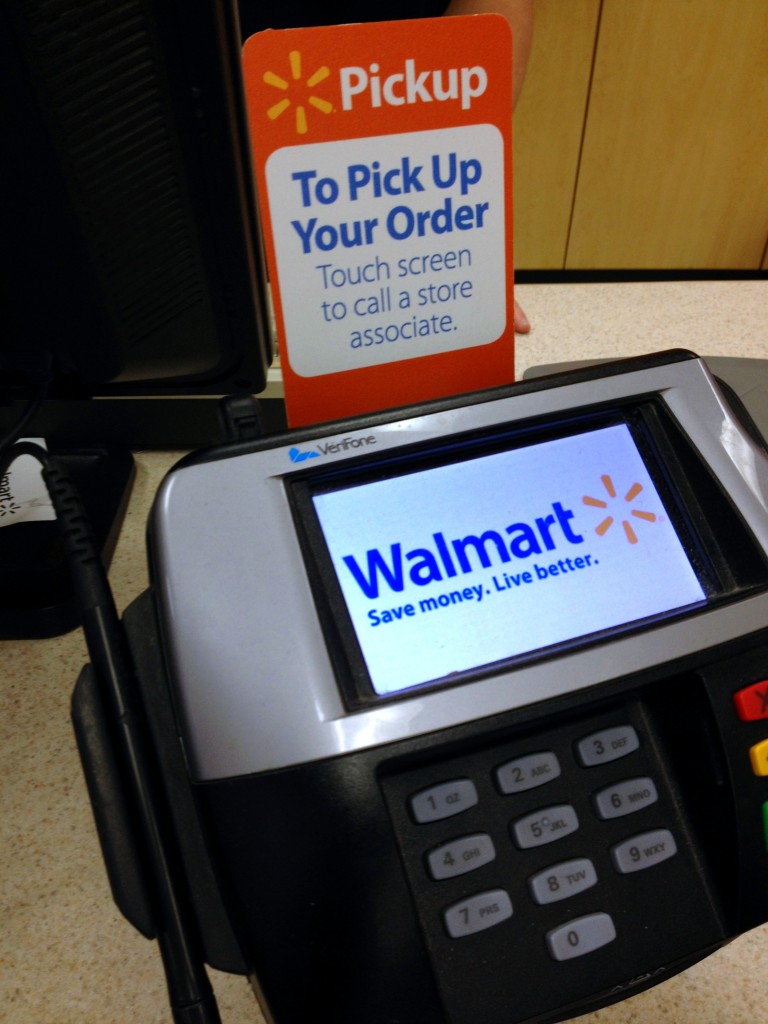
Once you get your email and/or text stating the item is ready, head into the store. There have been some changes here as well. The signage for the pickup area is a nice big and bright orange–you really can’t miss it!

Once you get to the pickup area, if there isn’t an associate there you can use the touchscreen on the keypad to call an associate. Then just show your email (on your phone or printed out) or text message and they will pop back and pick up your order. Once you’ve confirmed it’s the right item then you are done!
It really is easy–I love the convenience. So this holiday season why not make things a bit easier for yourself and use Pickup Today or in store pickup!
****This is a sponsored post****
 Disclosure: As a participant in the Walmart Moms Program, I’ve received product samples and compensation for my time and efforts in creating this post. All thoughts and opinions are my own.


Leave a Reply